
I plugged a Zigbee dongle into my HomeAssistant box, but I couldn't find it in the UI. Here's how to get it working.
- Buy a USB Zigbee dongle
- Shove it in the computer running HomeAssistant OS (HAOS)
- On the command line of your computer, run
lsusb - Get the two IDs of your Zigbee device - for example
10c4:ea60 Silicon Labs CP210x UART Bridge - In the same directory as your HAOS image, create a new file:
sudo nano zigbee.xml - Add the following
1<hostdev mode='subsystem' type='usb' managed='yes'>
2  <source>
3    <vendor id='0x10c4'/>
4    <product id='0xea60'/>
5  </source>
6</hostdev>
-
Replace the
0x10c4and0xea60with the IDs you got earlier (keep the0x). -
Save the file with
CTRL+Xand then pressY -
Find the name of your HAOS install with
virsh list -
Attach the Zigbee USB by running
virsh attach-device haos --file zigbee.xml(replacehaoswith whatever you found on the step above) -
Reboot it with
virsh reboot haos -
Wait a few minutes for everything to come back.
-
Go to Settings → Devices
-
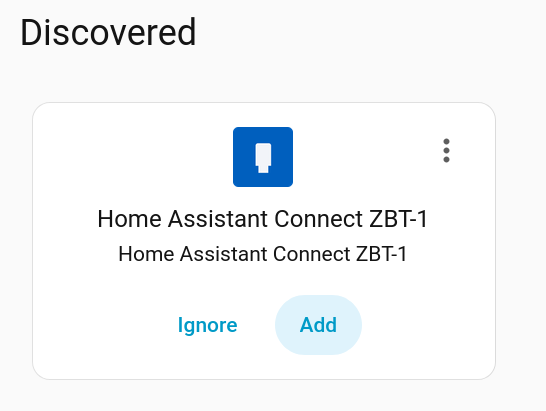
The Zigbee device should show under "Discovered"
-
Add the device and follow all the prompts.
-
Restart HomeAssistant using Settings → ⋮ → Restart
-
Start adding devices using Settings → Connectivity → Zigbee → Add device
-
You will now need to make the USB attachment permanent.
- Remove the USB device with:
virsh detach-device haos --file zigbee.xml - Permanently attach it with:
virsh attach-device haos --file zigbee.xml --persistent
- Remove the USB device with:
Sources:
