Gadget Review: HIKMICRO D02 Thermal Camera ★★★★★

Follow into
Save into
The good folks at Hikmicro have sent me their D02 Infrared Camera to review. It's part of their "Eco" series of thermal imagers - designed to be easy to use around the home and relatively cheap.
Despite the no-fills appearance, it packs in a lot of features which put some more expensive models to shame. It even works with Linux. Shove in a USB-C cable to grab the photos or even use it as a webcam.
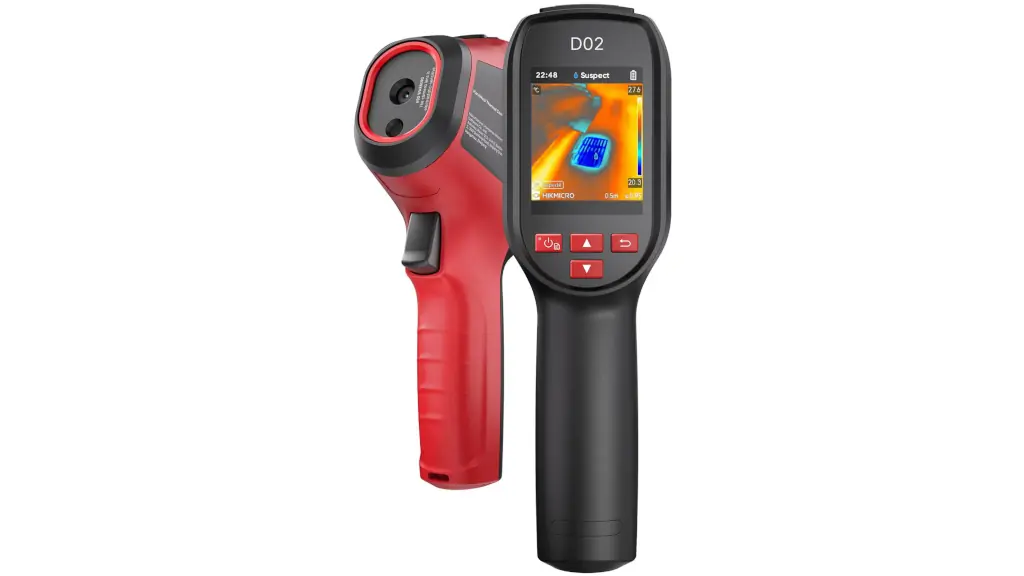
All the images you see in this post are unaltered. I haven't optimised them or stripped the metadata; what you see is what you get.
Let's go!
Specs and Pictures
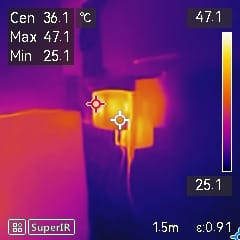
Infrared cameras usually have tiny sensors - the D02 is no different, you get 96x96 pixels of thermal information upscaled to 240x240.
Where the D02 shines is that it also has an optical camera just below the thermal sensor. This allows the camera to combine both the thermal and optical images into one "fusion" image.
Here's an example of the thermal image:
The optical image has a higher resolution - 480x640: 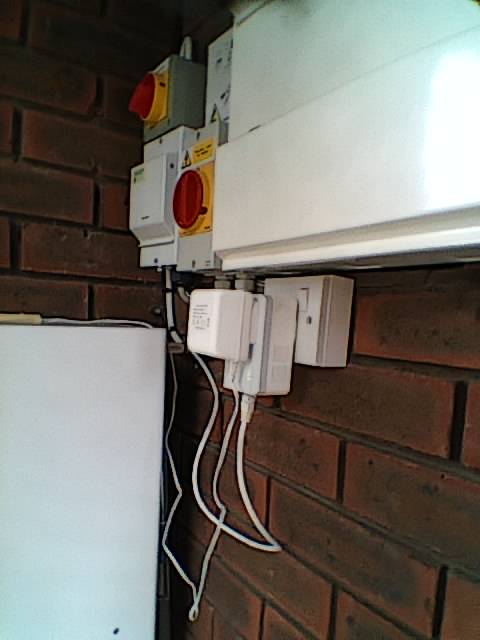
It isn't the highest quality lens in the world, but more than adequate for seeing what's going on.
Once fused, the image looks like this:
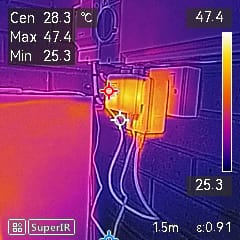
With the two images overlayed, you get a reasonably clear photo. The visual shows a good amount of detail and the thermal image shows what's hot.
It mostly works. If you're pointing at something very close to the sensor then you'll end up with a slightly surreal image like this which show the two out of alignment.
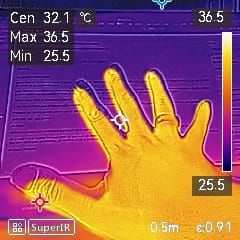
Storage is limited to around 2.5GB with no SD card slot. But given that photos are typically less than 150KB, you'll fit tens of thousands on there before worrying about running out of space.
Videos
Videos are a bit bigger, about 12MB per minute in MP4 format. But, again, you'll be able to store a couple of hours of footage on there without worry.
Again, 240x240 upscaled. Good enough for domestic use. No audio. What you see is what you get.
EXIF
There's not much useful EXIF - just the timestamp and camera serial number. That said, all the images and videos are placed in the DCIM folder which should make importing them easier.
Some other cameras provide the "raw" thermal data separately - but that's only really useful if you're doing analysis on the data, rather than trying to spot hot / cold spots.
Features
There are a few other nifty features. You can set a schedule to allow it to take pictures periodically - handy if you use the tripod attachment point to place it in a static location.
You can change the type of thermal image taken - there are various palettes available depending on what you're interested in.
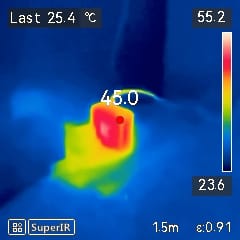
There are various emissivity profiles depending on what you're pointing at:
You can also fiddle with the distance setting depending on how close you are to the subject. There's also an alarm setting to warn you if something is too hot or too cold.
Finally, you can view back the images and videos on the device. Handy if you can't get to a computer and want to show someone what you've spotted.
SuperScene AI
Everything needs AI in it nowadays. Thankfully, the D02 doesn't chat to you - instead it can analyse photos for potential problems. There are a range of build-in "SuperScene" modes available once you update to the latest firmware.
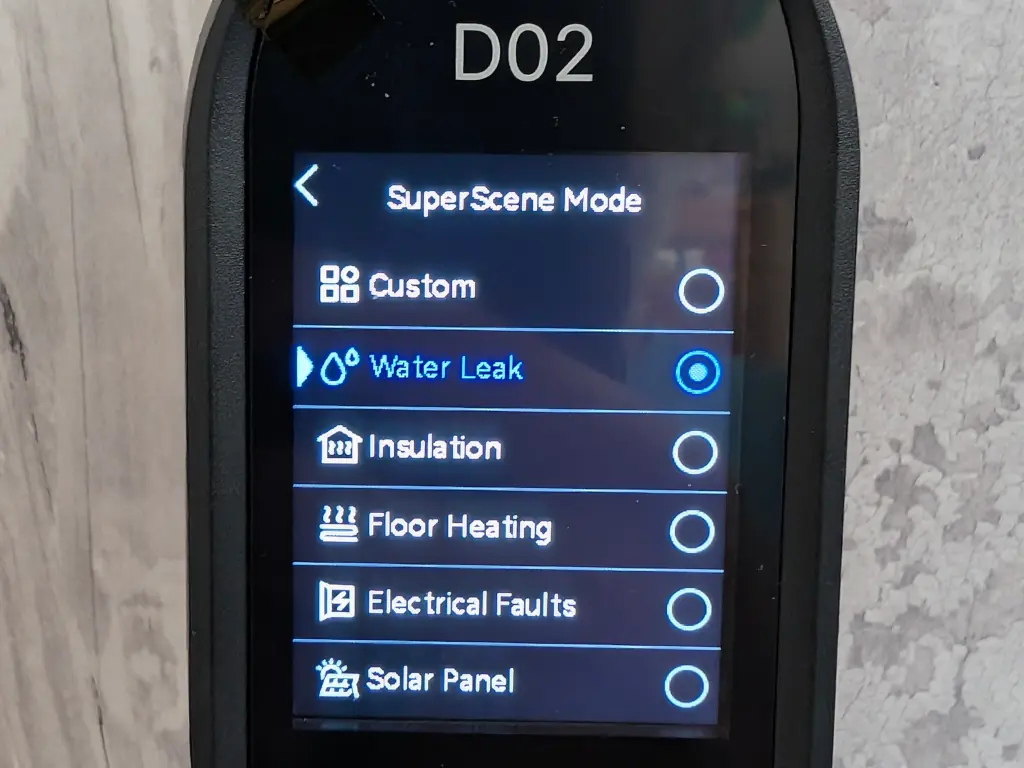
I simulated a water leak under my sink and pointed the camera at it:
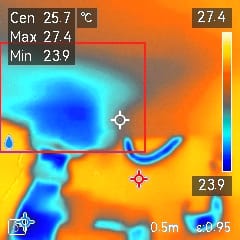
As you can see, it draws a red outline around anything it thinks is suspicious and draws a little water droplet icon in the lower left corner. It also set the colour profile, to make things easier to see. It isn't the most powerful AI model that I've ever used, but is certainly handy for checking things around the home.
User Interface
There's a trigger. Press it once to take a photo. Hold it down to start / stop recording. Pretty much idiot proof.
The rest is a bit flimsy. A combined power / select button, a back button, then up & down arrows. The arrows confused me for a while. Press the up one to change the type of photo you're taking, the down one changes the colour scheme.
There's no touch-screen, haptic feedback, speaker, or anything expensive like that.
Linux and Open Source
Works fine as a storage device on Linux, showing up as 0525:a4a5 "Netchip Technology, Inc. Linux-USB File-backed Storage Gadget". True to its word, it shows up as a standard disk.
Most hardware manufacturers from China ignore their Open Source obligations - but not HIKMICRO. There's a rather prominent menu item in the settings screen which lets you scroll through an almost endless parade of software names and their licences. A bonus star for that!
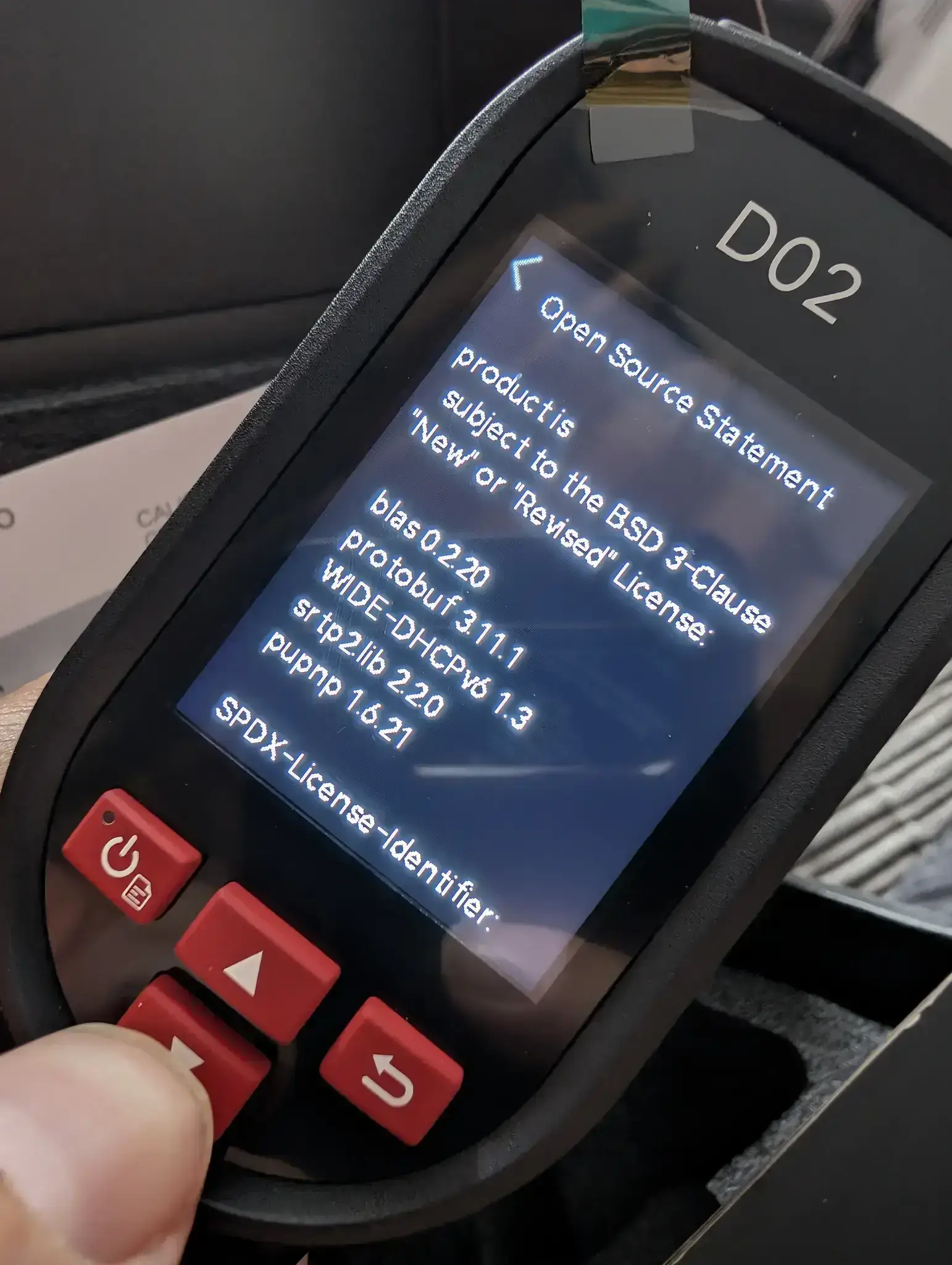
You can also turn on diagnostic logging - that'll slowly fill the disk with log files:
[07-21 14:47:40][pid:477][tid:642][GUI][ERROR][minigui_lcd_dsp_update][line:1393] KEY_OK_MSG minigui_lcd_dsp_update GUI_TM_DATA_CAPTURE...
Probably not overly useful unless you've got a problem.
Webcam
On plugging in the camera via USB-C, the screen gives a choice of "USB Drive" or "USB Cast Screen". Toggling to the screen option transforms the device into 2bdf:017f a "UVC Camera". In theory, you should be able to use it as a standard WebCam and show others what the D02 is seeing. I couldn't get it to work with Chrome or Firefox directly.
Using qv4l2 I was able to open it as an MJPG stream once I set the resolution to 240x320.
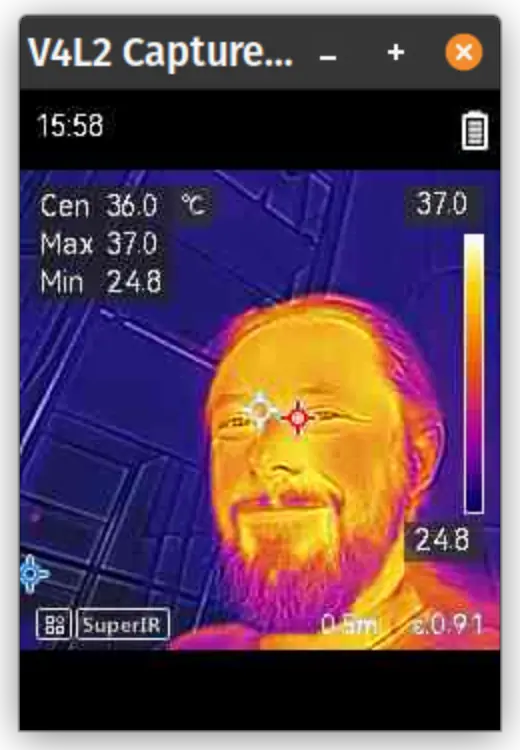
For those of a technical bent, here's what v4l2-ctl showed as the available formats:
ioctl: VIDIOC_ENUM_FMT
    Type: Video Capture

    [0]: 'MJPG' (Motion-JPEG, compressed)
        Size: Discrete 240x320
            Interval: Discrete 0.033s (30.000 fps)
        Size: Discrete 320x240
            Interval: Discrete 0.033s (30.000 fps)
    [1]: 'YUYV' (YUYV 4:2:2)
        Size: Discrete 640x256
            Interval: Discrete 0.033s (30.000 fps)
Price
Infrared cameras are annoyingly expensive. This one is around £190 - although currently discounted to £170 - which is fairly reasonable.
How much will it save you? Well, it can tell you where your insulation isn't working - or which plugs are about to burst into flames; so a decent investment.
Final Thoughts
I've reviewed a lot of thermal cameras and I think this might be one of my favourites. The fact that it (optionally) captures both the thermal and the optical image makes it great for diagnosing problems because you can easily see what it is you're looking at.
There are enough settings to fiddle around with to keep most tinkerers happy and the image quality is more than good enough for spotting problems in the home. It's well worth buying for your home if you want to check for leaks, insulation gaps, hotspots, and other domestic problems. I'd recommend sharing the cost with your neighbours, or loaning it to a local tool library.
This is lightweight, quick to boot up, has good accuracy, and is (relatively) cheap. Well worth it, in my opinion.
